DELTA EXECUTOR #1 Roblox Executor for PC, Android & iOS
Advanced Lua execution environment. 100% UNC supported. Built for stability on Windows and Android with rapid key system bypass.
Download Now
Why Choose
Delta Executor?
In a market flooded with paid keys and malware, Delta stands as the fortress of reliability. We don't just inject scripts; we ensure your account survives the ban waves while delivering raw performance.
01 Rapid Patch Updates
Roblox updates every Wednesday. Our tool is usually back online within 2 hours. We have the fastest dev team in the scene.
02 24/7 Support Community
Stuck on a key? Script crashing? Join 500k+ members in our Discord. Real humans, real solutions, zero automated bots.
03 Malware-Free Guarantee
We rely on ad-revenue, not miners. Delta is verified safe by VirusTotal and the rigorous standards of the exploiting community.
Interface
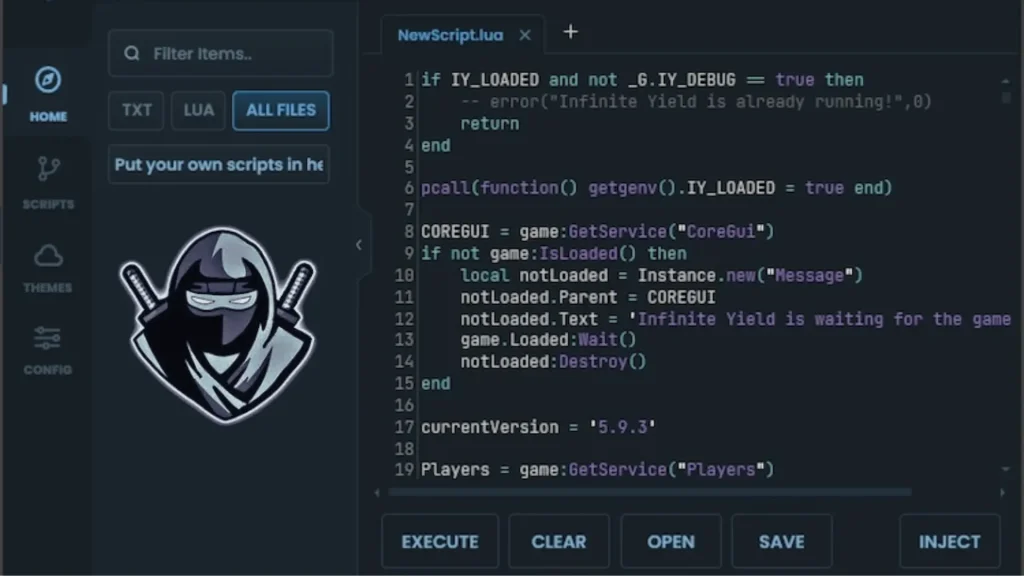
Delta Executor features a minimalist, dark-mode interface designed to reduce eye strain during extended sessions. Every element serves a purpose—no bloat, no distractions.
Monaco Code Editor
Full syntax highlighting, auto-completion, and multi-tab support. Copy-paste your Lua scripts with confidence.
Script Hub Integration
Access 3,000+ pre-verified scripts without leaving the app. One-click execution for popular games like Blox Fruits.
Real-Time Status
Live injection feedback: See your current Roblox PID, detection status, and FPS metrics on the dashboard.
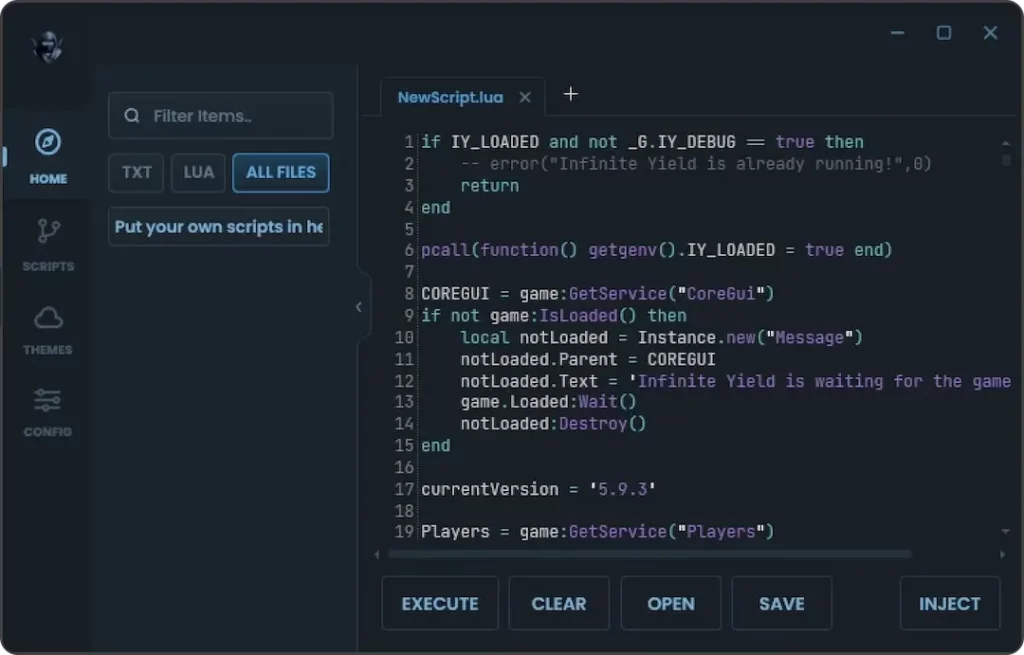
UI — Dark Mode / Script Editor View
Main Features
Experience the pinnacle of Roblox exploitation. Executor combines raw injection power with proprietary stealth technology, delivering a seamless, crash-free scripting experience on both Android and Windows architectures.
100% UNC Support
Engineered to support the Unified Naming Convention standard. Run complex script libraries like Owl Hub, Hoho Hub, and heavy Blox Fruits auto-farms without crashing or missing functions.
Cloud Script Hub
Skip the search. Access a massive internal database of pre-verified scripts directly from the UI. Search by game ID, sort by popularity, and execute instantly with one click.
Anti-Ban Shield
Our proprietary injection kernel bypasses Byfron (Hyperion) detection vectors. Includes built-in HWID spoofing and log cleaning to keep your main account safe from ban waves.
Monaco Editor
Write and edit code like a pro. The integrated Monaco Environment features syntax highlighting, auto-completion (IntelliSense), and multi-tab support for advanced script development.
Cross-Platform
One executor, all devices. Seamlessly switch between Delta Android APK and the Windows PC Client. Scripts saved to your cloud profile sync across all platforms.
Zero Lag Injection
Optimized C++ architecture ensures minimal CPU usage. Inject in milliseconds without freezing your game, even on low-end devices or emulators like Bluestacks.
Supported Scripts
Delta Executor is engineered to run 99% of modern Roblox scripts without crashing. From high-load Blox Fruits auto-farms to complex Da Hood aimbots, our custom Lua environment ensures maximum stability, FPS optimization, and undetected execution status.
Blox Fruits
- Auto-Farm Mastery
- Raid Carry Mode
- Fruit Sniper / ESP
Pet Sim 99
- Gem Auto-Farm
- Instant Hatch
- Trade Sniper
Da Hood
- Silent Aim (Blatant)
- Auto-Buy / Cash
- Fly & Speed
Bedwars
- Kill Aura
- Auto-Bridge / Scaff
- Void Save
DOORS
- Entity ESP
- Fullbright Mode
- Auto-Loot / Key
+3000
Verified Scripts
Browse Script HubInstallation Guide
// EXECUTE_SETUP_SEQUENCE
Follow the 5-step procedure to deploy Delta Executor on your device.
Acquire Target Build
Select your platform below (PC, Android, or iOS). Download the latest installer file. // NOTE: Always use the official links provided below to avoid malware.
Grant Permissions
Android: Go to Settings > Security > Enable "Install from Unknown Sources".
PC: You may need to temporarily disable Real-Time Protection if Windows Defender flags the injector (False Positive).
Deploy Payload
Run the installer (.exe or .apk). Follow the on-screen prompts. Exec will auto-calibrate to your Roblox version.
Authentication
Launch Delta. Click "Get Key" to copy your HWID link. Complete the verification in your browser to authorize your device for 24 hours.
Execute & Dominate
Return to the app. The interface unlocks automatically. Paste your script into the editor and press the "Play" icon.
Changelog: Delta Executor
// SYSTEM_VERSION_HISTORY // TARGET: CORE
Live feed of updates, patches, and security improvements.
Delta vs Other Executors
Why settle for less? See how Delta Executor stacks up against paid private cheats and generic script exploits.
| Feature / Metric | Delta Executor OFFICIAL BUILD | Paid Cheats ($20+) | Generic Free Exploits |
|---|---|---|---|
| UNC Script Support | 100% (Full Support) | 95-100% | 60-80% (Partial) |
| Cross-Platform | PC & Android & iOS | PC Only (Usually) | Android Only |
| Key System | 24 Hours (Fast) | No Key (Subscription) | 1 Hour (Ad Spam) |
| Byfron Bypass | Undetected | Undetected | High Risk |
| Cost | $0.00 (Free) | $15 - $25 / month | $0.00 |
Troubleshooting Common Errors
// DIAGNOSTIC_MODE_ACTIVE
Resolve injection failures and crashes instantly. Most issues are caused by antivirus interference or outdated Roblox clients.
ERR_DLL_MISSING / INJECT_FAIL
The executor closes immediately or fails to attach. Usually caused by Windows Defender deleting the `Delta.dll` file.
- 1. Open Windows Security > Virus & Threat Protection.
- 2. Disable "Real-Time Protection".
- 3. Re-download and extract files again.
- 4. Add the executor folder to "Exclusions".
UNEXPECTED_CLIENT_BEHAVIOR
Roblox crashes upon injection or you get kicked with Error 268. This happens when Roblox updates (usually Wednesdays).
- 1. Check if Roblox updated today.
- 2. Press Windows + R, type `%localappdata%\\Roblox`.
- 3. Delete the folder `GlobalBasicSettings_13`.
- 4. Wait for developer update (check Discord).
KEY_INVALID / LOOP
You complete the Linkvertise but the key doesn't work, or it asks for a key again immediately.
- 1. Clear your browser cache and cookies.
- 2. Disable VPNs or AdBlockers during verification.
- 3. Ensure you copy the key exactly (no spaces).
LOW_FPS / LAG_SPIKES
Game stutters after injecting scripts. Often caused by poorly optimized scripts rather than the executor.
- 1. Enable "Auto-Settings" in Delta preferences.
- 2. Use `setfpscap(999)` in your script.
- 3. Avoid heavy "Auto-Farm" scripts on low-end PCs.
STILL_FACING_ISSUES? OPEN SUPPORT TICKET
FAQ
// ACCESS_LEVEL: PUBLIC
Common queries regarding injection safety, key systems, and script compatibility.
> IF_ERROR: CONTACT_SUPPORT
> STATUS: OPERATIONAL