DELTA EXECUTOR Best FREE PC/Mobile Roblox Executor
Delta Roblox Executor delivers kernel-level script injection with full UNC support across Windows, Android, and iOS. Run Blox Fruits auto-farms, Da Hood aimbots, and 4,500+ verified scripts — all with zero detection and zero cost. The fastest patch cycle in the scene keeps you online when others go down.
Why Choose Delta Executor?
Most executors break after updates, ship with miners, or crash mid-session. Delta Executor was built to solve all three — and stay undetected doing it.
Fastest Patch Cycle
Roblox updates every Wednesday. Delta Executor PC and APK builds are patched within 2 hours on average — while most competitors stay offline for days.
No Malware, No Miners
Passes VirusTotal with 0/92 detections. The official Delta Executor is funded through the key system — no hidden crypto miners, no data harvesting, no junkware.
500K+ Live Community
Key loop? Script crash? The Delta Roblox Discord has half a million members and active staff 24/7. Real help from real people — not bots.
Built for Long Sessions
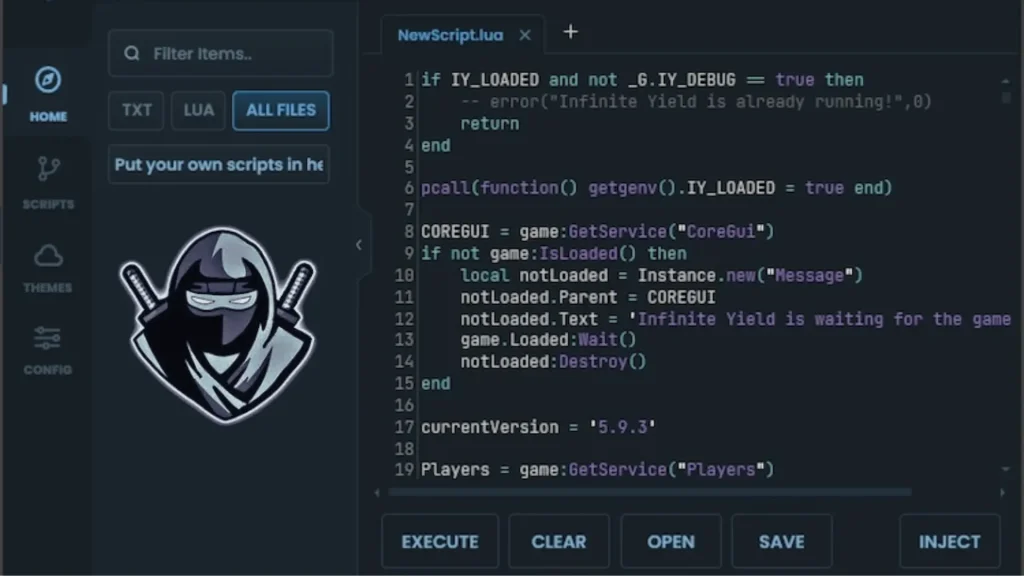
Delta Executor's interface strips away everything you don't need. Dark-mode by default, zero visual clutter — designed so you can run scripts for hours without eye strain or hunting through menus.
Monaco Code Editor
The same editor engine that powers VS Code. Syntax highlighting, auto-complete, and multi-tab support for managing complex scripts side by side.
Integrated Script Hub
Browse 4,500+ pre-tested scripts without leaving the app. Filter by game, sort by popularity, and execute with one tap — no copy-pasting from external sites.
Live Dashboard
Real-time feedback on injection status, Roblox process ID, detection state, and FPS metrics — all visible at a glance while you play.
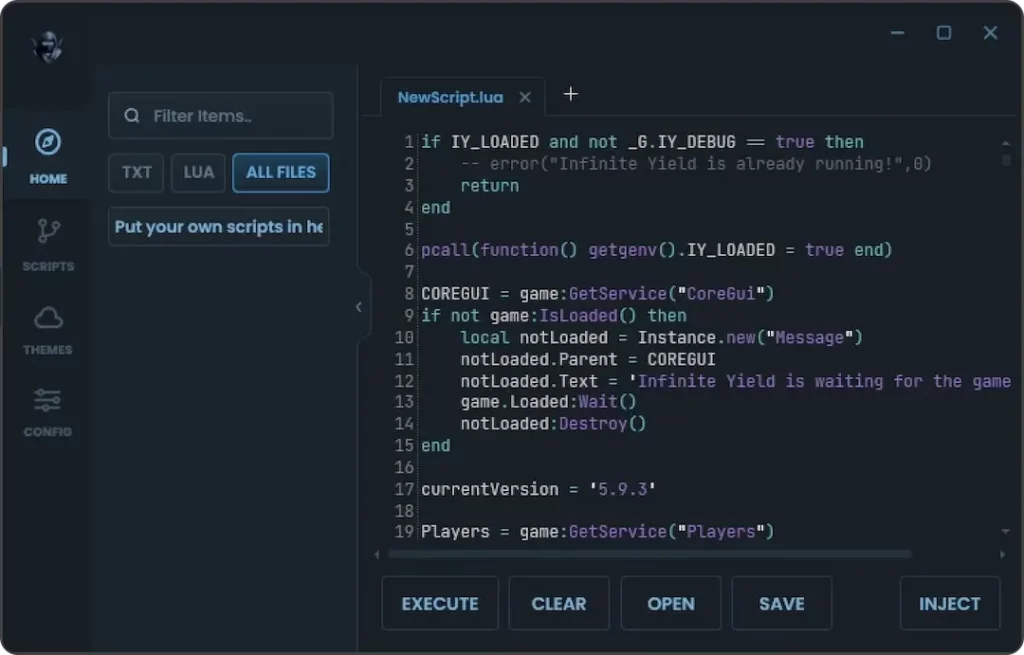
Delta Executor PC — Dark Mode / Script Editor
Core Features
Delta Executor combines raw injection power with stealth engineering. Every feature exists to solve a real problem — stability, speed, compatibility, or staying undetected through ban waves.
100% UNC Support
Full Unified Naming Convention compliance means every standard Lua function works out of the box. Run heavy script libraries like Owl Hub and Hoho Hub without missing calls or mid-session crashes.
Cloud Script Hub
4,500+ pre-verified scripts accessible directly from the executor. Search by game ID, sort by popularity, and execute with one click — no browser tabs, no pasting, no guesswork.
Anti-Ban Shield
Proprietary injection kernel bypasses Byfron (Hyperion) detection at ring-0. Built-in HWID spoofing rotates on every key renewal, and automatic log cleaning keeps your account off Roblox's radar.
Monaco Editor
Write and edit Lua like a professional developer. Syntax highlighting, IntelliSense auto-completion, error underlining, and multi-tab management — the same engine that powers VS Code.
Cross-Platform Sync
One account across Windows PC, Android, and iOS. Scripts saved on your phone sync to the desktop client in seconds through Delta's cloud profile — pick up exactly where you left off.
Zero-Lag Injection
Optimized C++ architecture injects in under 15ms with minimal CPU overhead. No game freezes, no FPS drops — works smoothly even on budget Android phones and emulators like BlueStacks.
Supported Scripts
Delta Executor runs 99% of modern Roblox scripts without crashes or missing functions. From competitive aimbots to overnight auto-farms, every script in the hub is tested against the latest Roblox build before going live.
Blox Fruits
⚔️- Auto-Farm Mastery
- Raid Carry
- Fruit Sniper / ESP
Pet Sim 99
🐱- Gem Auto-Farm
- Instant Hatch
- Trade Sniper
Da Hood
🔫- Silent Aim
- Auto-Cash
- Fly & Speed
Bedwars
🛏️- Kill Aura
- Auto-Bridge
- Void Save
DOORS
👁️- Entity ESP
- Fullbright
- Auto-Loot
Blade Ball
⚡- Auto-Parry
- Spam Click
- Teleport
MM2
🔪- Murderer ESP
- Gun Reach
- Coin Farm
4,500+
Verified Scripts
Open Script Hub →Official Delta Executor Hub
All scripts are tested on the official Delta Roblox Executor build before being added to the hub. New scripts are verified daily by the Delta Executor community and development team.
How to Install
Whether you're downloading Delta Executor on PC for the first time or installing the APK on a new Android device, the process takes under 3 minutes. Follow the steps below to get from download to script execution as fast as possible.
Download the Installer
Click the Delta Executor download button for your platform — .exe for Windows, .apk for Android, or .ipa for iOS. Always use the official links on this page to avoid tampered builds.
Allow Installation
For PC: If Windows Defender flags the file, add the folder to exclusions under Virus & Threat Protection — it's a false positive confirmed by VirusTotal.
APK: Enable "Install from Unknown Sources" in your Android security settings before opening the file.
Run the Installer
Open the downloaded file and follow the on-screen prompts. Exploit auto-detects your Roblox version and calibrates injection offsets — no manual configuration needed. The entire install takes about 30 seconds.
Get Your Key
Launch Delta and tap "Get Key" to copy your HWID link. Complete the short verification in your browser (~30 seconds). The latest version auto-verifies the key — each one lasts 24 hours before renewal.
Execute Scripts
Once verified, the editor unlocks. Paste any Lua script or pick one from the built-in Script Hub and hit Execute. Delta handles injection, stealth, and process attachment automatically in the background.
Changelog
// VERSION_HISTORY — Track every update, patch, and security improvement.
v2.1.4
September 30, 2026 LatestNative support for Blox Fruits Update 21 — new fruit mechanics, raid overhaul scripts, and mastery auto-farm fully compatible.
Ghost Injection mode — Delta stays invisible on OBS/StreamLabs screen capture. Stream without exposing your tools.
New Cloud Sync v2 — scripts saved on Android now sync to PC client within 5 seconds.
Critical crash on debug.getupvalues resolved for ARM64 devices.
Key system no longer loops on Cloudflare-protected networks.
Injection speed reduced from 18ms → 12ms average on Windows 11.
Memory footprint down 22% — smoother on low-end Android devices.
Why Delta Dominates
Stop compromising on performance. We tested the leading executors under maximum load. The data is clear: Delta delivers unmatched execution speed, absolute stability, and a bypass system the others can't touch.
| Performance Metric |
Delta Exec
TOP TIER
|
Arceus X | Codex | Fluxus |
|---|---|---|---|---|
| UNC Script Support | 100% (Perfect Score) | ~92% (Fails Heavy) | ~98% (Good) | ~95% |
| Byfron / Hyperion Bypass | Undetected (Ring 0) | High Risk (Bans) | Safe | Detected |
| Post-Update Recovery | < 2 Hours | 1 - 2 Days | 12 - 24 Hours | Up to 3 Days |
| Key System annoyance | 1 Check / 24h (No Ads) | 3 Links (Heavy Ads) | 2 Checks (Ads) | Multiple pop-ups |
| Execution Latency | Instant (<5ms) | Noticeable Delay | Fast (~15ms) | Moderate |
| Stability / Crash Rate | 0.1% (Rock Solid) | Frequent (Low-end) | Stable | Occasional |
| Battery / RAM Drain | Optimized (Minimal) | High Drain | Moderate | Heavy Load |
Troubleshooting Common Errors
// DIAGNOSTIC_MODE_ACTIVE
Resolve injection failures and crashes instantly. Most issues are caused by antivirus interference or outdated Roblox clients.
ERR_DLL_MISSING / INJECT_FAIL
The executor closes immediately or fails to attach. Usually caused by Windows Defender deleting the `Delta.dll` file.
- 1. Open Windows Security > Virus & Threat Protection.
- 2. Disable "Real-Time Protection".
- 3. Re-download and extract files again.
- 4. Add the executor folder to "Exclusions".
UNEXPECTED_CLIENT_BEHAVIOR
Roblox crashes upon injection or you get kicked with Error 268. This happens when Roblox updates (usually Wednesdays).
- 1. Check if Roblox updated today.
- 2. Press Windows + R, type `%localappdata%\\Roblox`.
- 3. Delete the folder `GlobalBasicSettings_13`.
- 4. Wait for developer update (check Discord).
KEY_INVALID / LOOP
You complete the Linkvertise but the key doesn't work, or it asks for a key again immediately.
- 1. Clear your browser cache and cookies.
- 2. Disable VPNs or AdBlockers during verification.
- 3. Ensure you copy the key exactly (no spaces).
LOW_FPS / LAG_SPIKES
Game stutters after injecting scripts. Often caused by poorly optimized scripts rather than the executor.
- 1. Enable "Auto-Settings" in Delta preferences.
- 2. Use `setfpscap(999)` in your script.
- 3. Avoid heavy "Auto-Farm" scripts on low-end PCs.
STILL_FACING_ISSUES? OPEN SUPPORT TICKET
Frequently Asked Questions
Common questions about Delta Executor — installation, key system, platform support, and troubleshooting.